Complete Beginner’s Guide to HappyMod
October 26, 2026 (2 weeks ago)
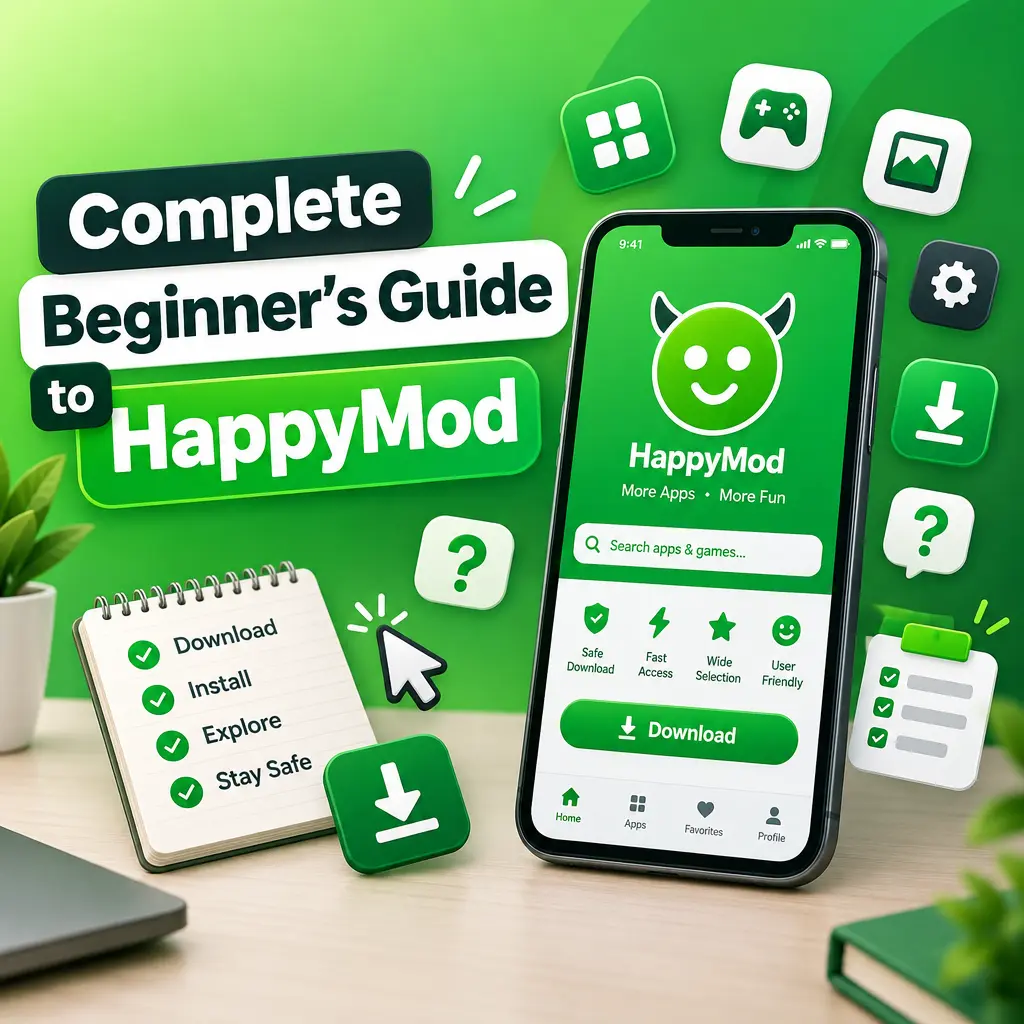
HappyMod is a marketplace for modified Android apps and games. These modified apps, often called “mods,” may include extra features, unlocked settings, customization options, or gameplay changes that are not available in the original version. If you are completely new to HappyMod, this guide will help you understand what it is, how it works, what to watch out for, and how to use it more safely as a beginner.
What Is HappyMod?
HappyMod is an Android app store focused on modified apps and games. Instead of downloading apps only from the Google Play Store, users can browse HappyMod to find different versions of Android apps. These versions may offer changes such as unlocked levels, ad-free screens, custom menus, or extra in-game options.
The main idea behind HappyMod is community sharing. Users can upload and test modified APK files, and other users can leave feedback about whether a version works or not. This helps beginners see which mods are more reliable before downloading them.
However, it is important to understand that modified apps are not always official. They are usually changed by third parties, not by the original app developer. Because of this, you should be careful, especially when downloading apps from outside the official Play Store.
Before You Start: Important Things to Know
HappyMod can be useful for exploring custom versions of apps and games, but it also comes with risks. Beginners should know these basic points before installing anything.
- Modified apps may not be safe: Some APK files can contain malware, trackers, or unwanted code.
- Not all mods work: Some modified apps may crash, fail to install, or stop working after an update.
- Account bans are possible: Online games and apps may ban users who use modified versions.
- Privacy matters: Avoid using modded apps for banking, shopping, passwords, or private messages.
- Support original developers: If you enjoy an app or game, consider using the official version or buying it through legal channels.
How to Download HappyMod on Android
HappyMod is not usually available on the Google Play Store, so users often download it as an APK file from its official website or another browser source. APK files are Android installation files. Since you are installing from outside the Play Store, Android will ask you to allow installation from unknown sources.
- Open your Android browser.
- Search for the official HappyMod website.
- Download the latest HappyMod APK file.
- When the download finishes, tap the APK file.
- If Android blocks the installation, go to your settings and allow installation from that browser.
- Return to the APK file and install the app.
- Once installed, open HappyMod from your app drawer.
Only allow unknown app installation for the browser or file manager you are using. After installing HappyMod, it is a good idea to turn that permission off again. This helps reduce the chance of installing unwanted apps later by mistake.
How to Use HappyMod for the First Time
When you open HappyMod, you will see a layout similar to many app stores. There are categories, search options, app pages, version details, user ratings, and download buttons. Beginners should take a few minutes to explore the interface before downloading anything.
- Search bar: Use this to find a specific app or game.
- Categories: Browse apps by games, tools, entertainment, personalization, and more.
- Mod details: Read what has been changed in the app.
- User feedback: Check comments and success rates before installing.
- Version list: Some apps have multiple mod versions with different features.
Do not rush to install the first result you see. Open the app page and read the description carefully. Look for information about what the mod does, when it was updated, and whether users say it works.
How to Download and Install a Modded App
Downloading from HappyMod is usually simple, but beginners should follow a careful process. This reduces mistakes and helps you avoid broken or suspicious files.
- Open HappyMod and search for the app or game you want.
- Select the correct result from the list.
- Read the mod features and check the user comments.
- Look at the success rate or working status if available.
- Tap the download button and wait for the APK file to finish downloading.
- Open the downloaded file and begin installation.
- If Android asks for permission, allow installation from HappyMod.
- After installation, open the app and test it.
If the app does not install, uninstall any existing version of the same app first. Many modded APKs cannot be installed over official Play Store versions because the app signatures are different. Before uninstalling, make sure you have backed up any important data.
Beginner Safety Tips for HappyMod
Safety should be your top priority when using any third-party app store. Since HappyMod apps are modified, you should treat every APK with caution. A few simple habits can help protect your phone and personal information.
- Download only apps with many positive comments and a high success rate.
- Avoid apps that ask for strange permissions, such as SMS access for a simple game.
- Do not log in with your main Google, Facebook, or gaming account.
- Never use modded apps for banking, crypto, investing, or online payments.
- Keep Google Play Protect turned on if possible.
- Use a mobile antivirus scanner if you regularly install APK files.
- Delete apps that show too many pop-ups, drain battery, or behave strangely.
One smart beginner habit is to test modded apps on a secondary device if you have one. This keeps your main phone safer, especially if it contains work files, personal photos, or payment apps.
Understanding Permissions
When you install an app, Android may show a list of permissions. These permissions tell you what the app can access. For example, a photo editor may need storage access, and a voice recorder may need microphone access. But if a simple puzzle game asks for contacts, SMS, location, and camera access, that is a warning sign.
Take a moment to review permissions before opening a modded app. If something feels unnecessary, do not install it. Beginners often skip this step, but it is one of the easiest ways to avoid unsafe apps.
How to Update Apps from HappyMod
Modded apps do not always update like normal Play Store apps. If you install a modded version, you may need to return to HappyMod to check for newer versions. Some updates fix bugs, while others may change the mod features.
- Open HappyMod.
- Search for the app you installed.
- Check if a newer version is available.
- Read the update notes and comments.
- Download and install the newer APK if it looks reliable.
Remember that updating can sometimes remove features or break the app. If your current version works well, you may not need to update immediately unless there is a security reason or important fix.
Common Problems and Simple Fixes
Beginners may run into a few common issues when using HappyMod. Most of them are easy to understand.
- App not installed: Remove the original version first, then try installing again.
- Download stuck: Check your internet connection or restart HappyMod.
- App crashes: Try another mod version or download an older release.
- Mod features not working: Read the comments to see if other users have the same problem.
- Game asks for update: The mod may be outdated and may need a newer version.
If an app keeps failing, it is better to delete it instead of forcing it to work. A broken mod is not worth risking your device or data.
Best Practices for Beginners
HappyMod can be interesting if you enjoy testing modified apps and custom Android experiences. The key is to use it carefully. Start with simple apps, read user reviews, avoid sensitive accounts, and pay attention to permissions. Do not install too many APK files at once, because it becomes harder to know which app caused a problem.
Most importantly, use modified apps responsibly. Many developers depend on ads, subscriptions, and purchases to keep their apps alive. If you find an app useful, support the official version whenever you can. HappyMod can be a place to explore custom features, but it should not replace safe, legal, and respectful app use.
For beginners, the best approach is simple: download slowly, check details carefully, protect your personal information, and delete anything that feels suspicious. With the right habits, you can understand how HappyMod works while keeping your Android device safer.
Recommended For You